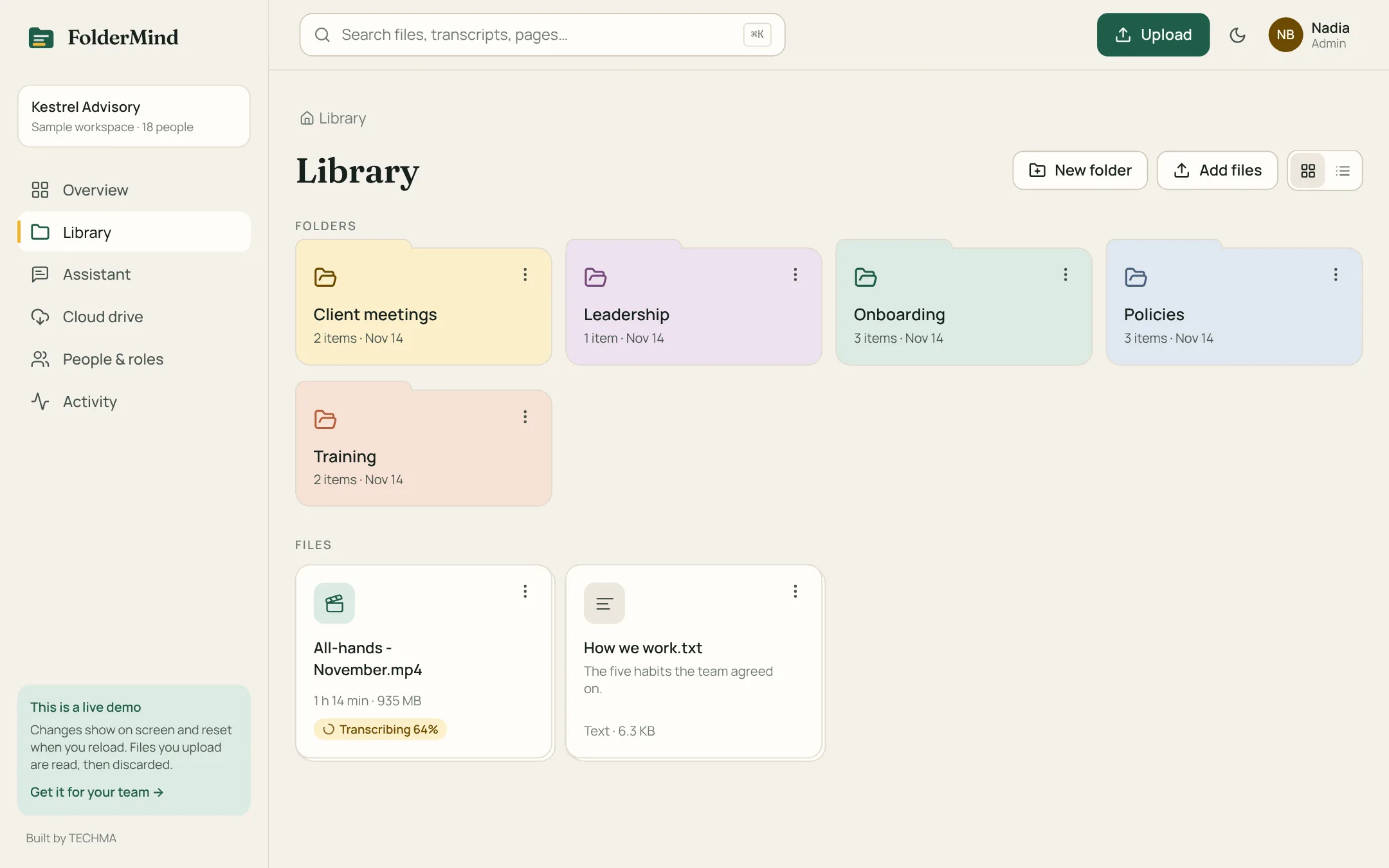
Folders the way your team thinks
Create folders and sub-folders, give each a colour, rename or move them. A breadcrumb shows where you are; a folder counts what it holds.
Files show as cards with their type, size or length and status, or as a compact list when a folder holds many.
Every action, in its place
- Star the files you use most; they show on the overview.
- Rename and move a file without breaking its transcript or its sources.
- Delete with a confirmation that says what will be removed.
- Download the extracted text or the transcript.
Roles decide who may change what
An admin can do everything. An editor uploads, organizes and imports. A viewer reads and asks. An admin can change that table at any time.
Uploads that get read
Drop PDF, Word, text or Markdown files on any folder. Each one is read at once; its passages are searchable a few seconds later.