FolderMind

FolderMind/Features/People and roles

Who may do what

Three roles, a table that says what each may do, and an admin who can change it. Everyone else sees only the buttons they may use.

One click, no account. You enter a sample firm as an admin, an editor or a viewer; the files are fictional and nothing you change is kept.

People and rolesfoldermind.techma.ai
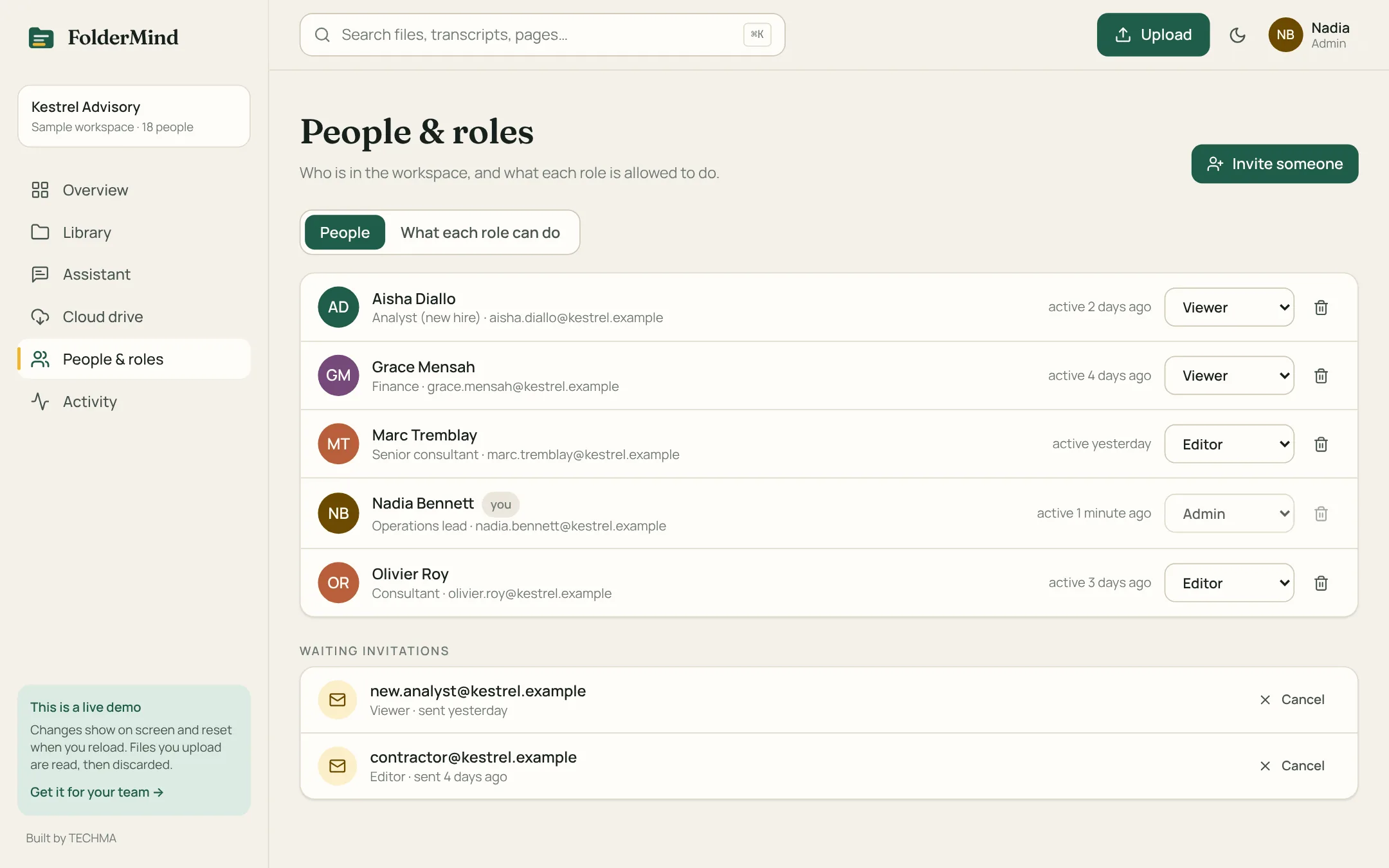
FolderMind people and roles screen with team members, their roles and waiting invitations

Three roles

  • Admin. Everything, including people, roles and the activity log.
  • Editor. Uploads, organizes and imports files, and asks the assistant.
  • Viewer. Reads files and asks the assistant. Cannot change anything.

A table you can change

Seven permissions (upload, organize folders, delete, use the assistant, import from the drive, manage people, see the activity log) are switched on or off per role. Admins always keep people management, so nobody is locked out.

People and invitations

Change a person's role from a list, remove someone (their files stay), or invite a new person by e-mail with the role they will have.

Checked on the server

Buttons disappear for those who may not use them, and the server refuses the action anyway. Hiding a button is never the only lock.

Questions

Asked before the first call

Can I try the three roles?

Yes. The demo opens as the role you choose, and you can switch roles from the account menu at any time.

Live demo

Ask it something. Check the source.

FolderMind is a working application, not a mock-up. Open the sample library, read a meeting transcript, ask the assistant a question and follow its answer to the exact page or minute it came from.