FolderMind

FolderMind/Features/Cited assistant

Answers you can check in one click

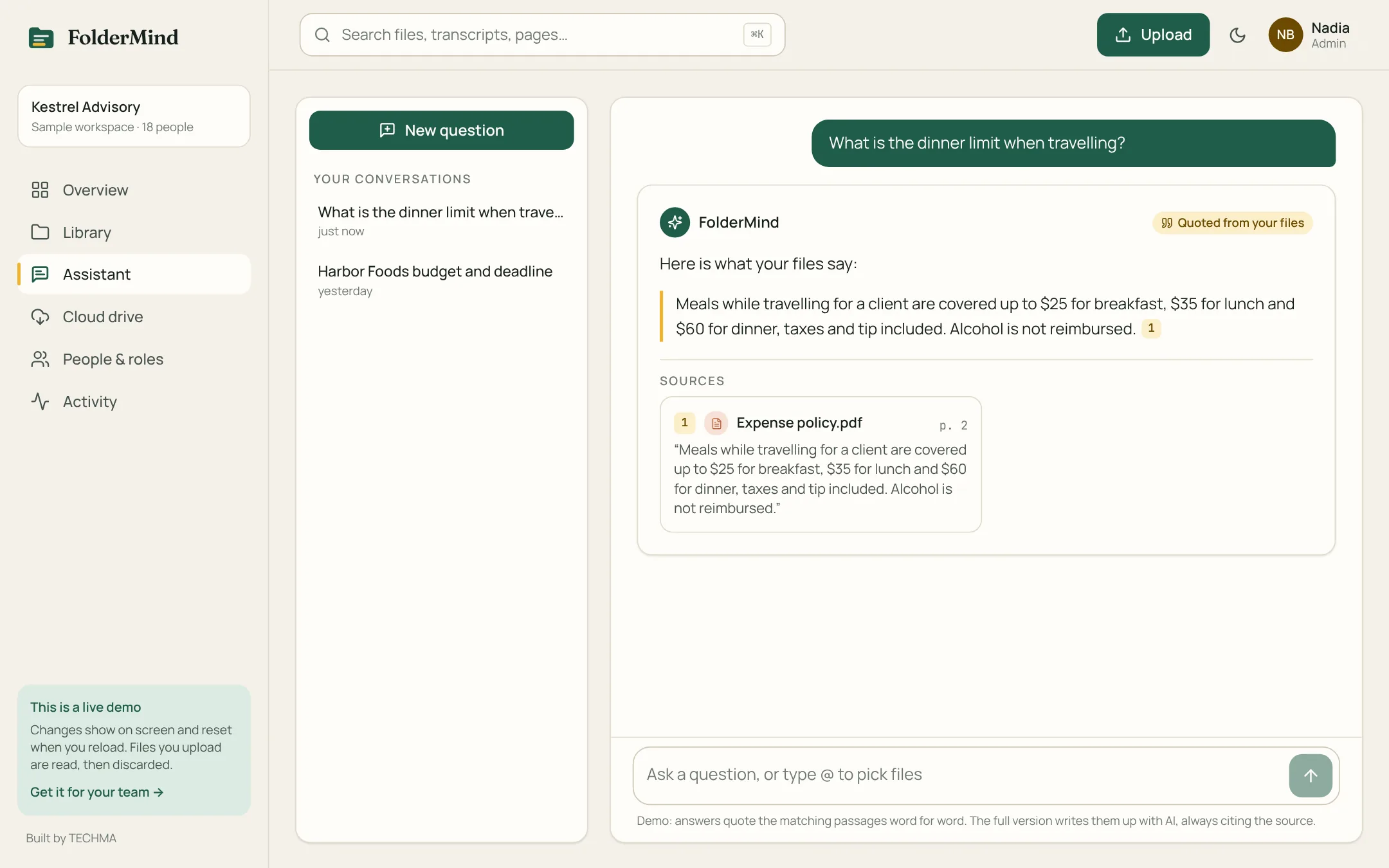
Ask a question the way you would ask a colleague. The assistant answers from your files, and every claim carries a number that opens its source.

One click, no account. You enter a sample firm as an admin, an editor or a viewer; the files are fictional and nothing you change is kept.

Cited assistantfoldermind.techma.ai
FolderMind assistant with a question, a short answer quoting the expense policy, and a source card with the page number

How it finds the answer

  1. Your question is searched across every passage of every file you may read.
  2. The best passages are given to the assistant, and nothing else.
  3. It answers in a few sentences, with a number after each claim.
  4. Each number opens the passage, at its page or minute.

Ask about specific files

Type @ and pick files to limit the question to them: compare two proposals, or ask what one call decided. Start a question from a file's page and it is already selected.

Conversations stay

Each question starts a conversation you can come back to and continue. Delete one and your files are not touched.

When the files are silent

If no passage answers the question, the assistant says so instead of guessing. You see that the gap is in the files, not in the search.

In the public demo

To keep the demo free, it quotes the matching passages word for word, with a few AI-written answers a day per visitor. The version built for you writes every answer with AI, always citing the source.

Questions

Asked before the first call

Which AI model does it use?

The demo uses an OpenAI model. A version built for you can use the model you prefer, including Claude, through an account in your name.

Are our files used to train the AI?

With business API accounts, providers state that the data sent is not used for training. TECHMA sets up your account that way; check the terms of the provider you choose.

Live demo

Ask it something. Check the source.

FolderMind is a working application, not a mock-up. Open the sample library, read a meeting transcript, ask the assistant a question and follow its answer to the exact page or minute it came from.