FolderMind

FolderMind/Features/Meeting transcripts

Every meeting, in writing

Upload a call or a video and FolderMind writes it down: who spoke, when, and what they said. Then it is searchable like any document.

One click, no account. You enter a sample firm as an admin, an editor or a viewer; the files are fictional and nothing you change is kept.

Meeting transcriptsfoldermind.techma.ai
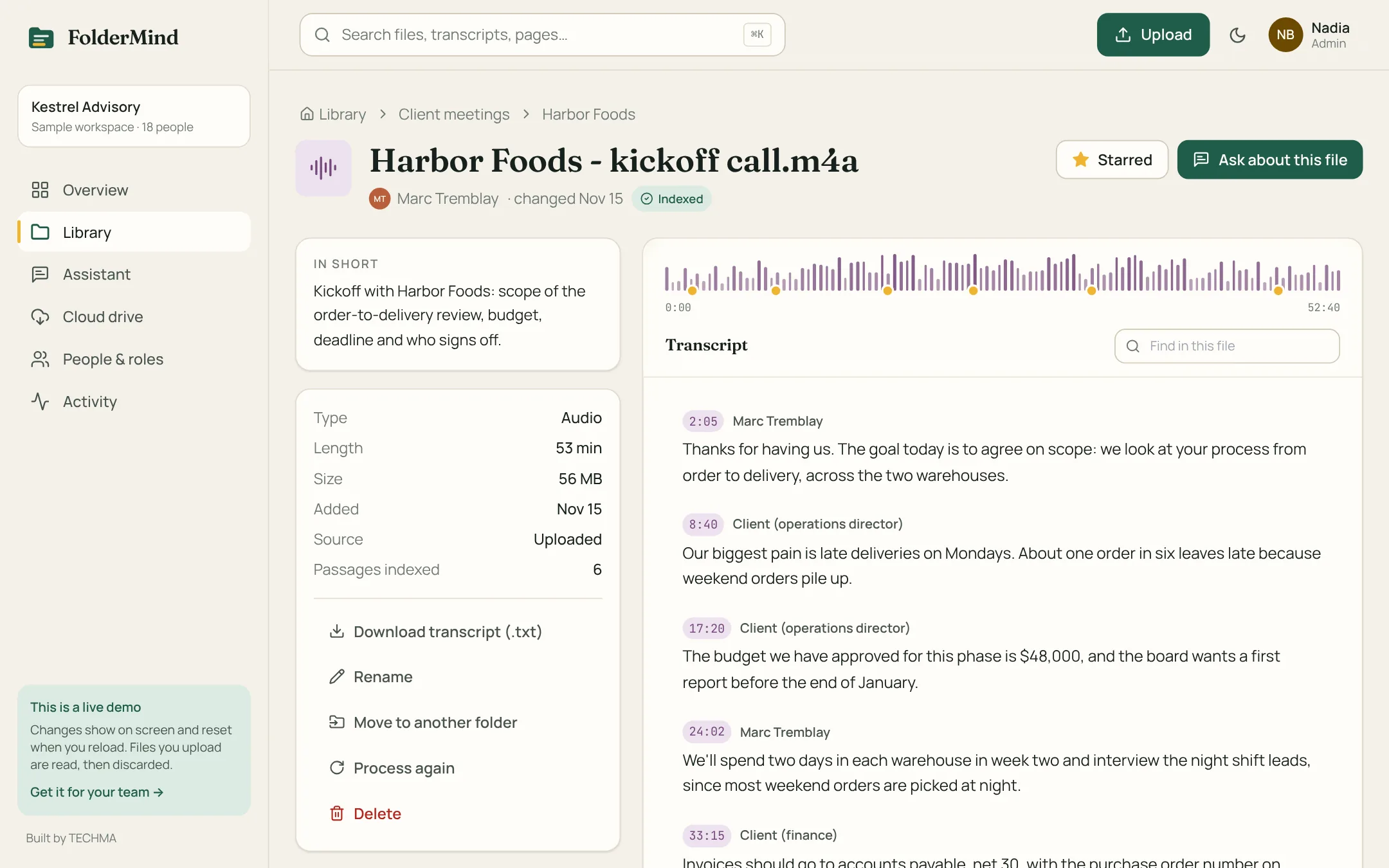
A client kickoff call in FolderMind with a waveform marked by passages, timestamps and speaker names

From audio to text

FolderMind extracts the sound from a recording, transcribes it, and splits it into passages with the speaker and the minute they start. A recording of an hour becomes a few pages you can skim in two minutes.

Read it, or jump to it

  • A waveform shows the whole recording, with a mark for each passage.
  • Click a mark or a timestamp to go to that moment.
  • Find a word and see every passage where it was said.

Quoted by the assistant

When someone asks what the client said about the deadline, the answer cites the call with its minute, the same way it cites a page of a PDF.

See the progress

Long recordings take a few minutes. Their card shows each step and a percentage; the assistant can use the transcript as soon as it is indexed.

Terms used on this page

Timestamp

Questions

Asked before the first call

Can I upload a recording in the demo?

Transcription is switched off in the public demo. Open one of the sample calls to see the result; the full version transcribes your own files.

Which languages are transcribed?

English and French in this version. The transcription model handles many more languages if your team needs them.

Live demo

Ask it something. Check the source.

FolderMind is a working application, not a mock-up. Open the sample library, read a meeting transcript, ask the assistant a question and follow its answer to the exact page or minute it came from.